
Live metrics without a refresh
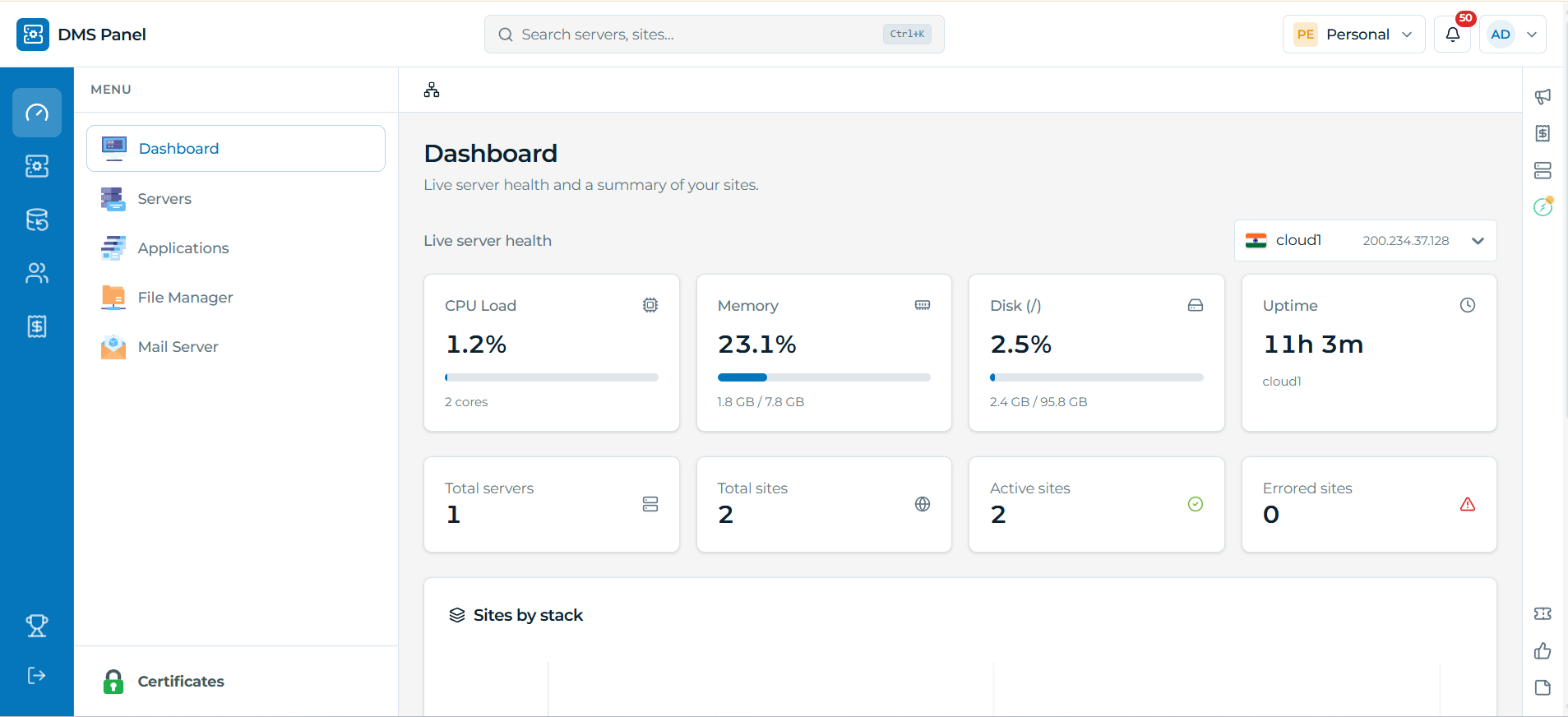
CPU, RAM, disk and uptime stream in as soon as you open a server. Historical graphs show the trend — not just the current spike.
CPU14%
Memory42%
Disk68% free
Uptime42d 6h
Twelve functional areas: servers, applications, data, mail, security, platform oversight. All inside one interface that stays consistent no matter which one you're in.
CPU, memory, disk and uptime update in real time the moment you open a server. No refresh needed, no separate monitoring tool bolted onto the side.

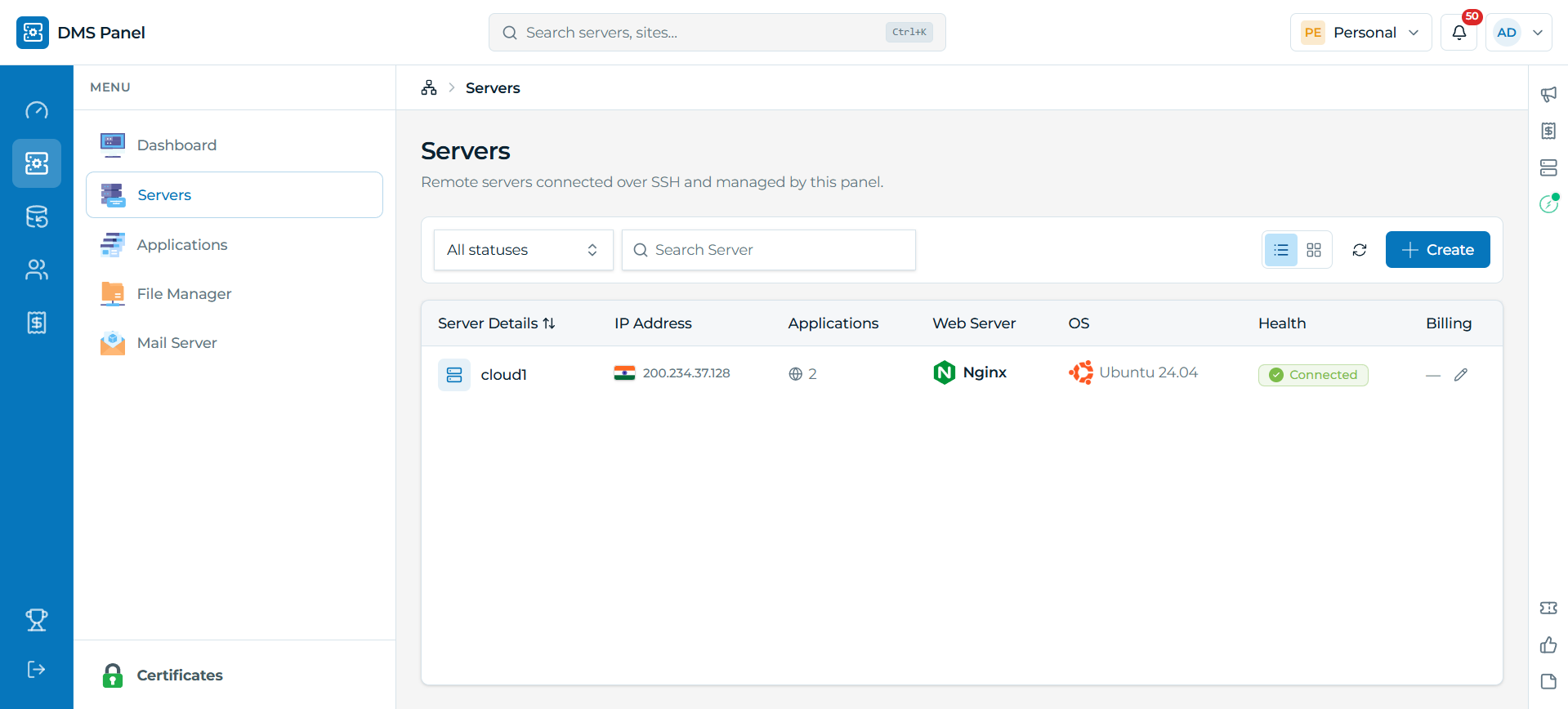
IP, applications, web server, OS and connection health, all side by side. It's the view an agency actually needs once they're past managing just one box.

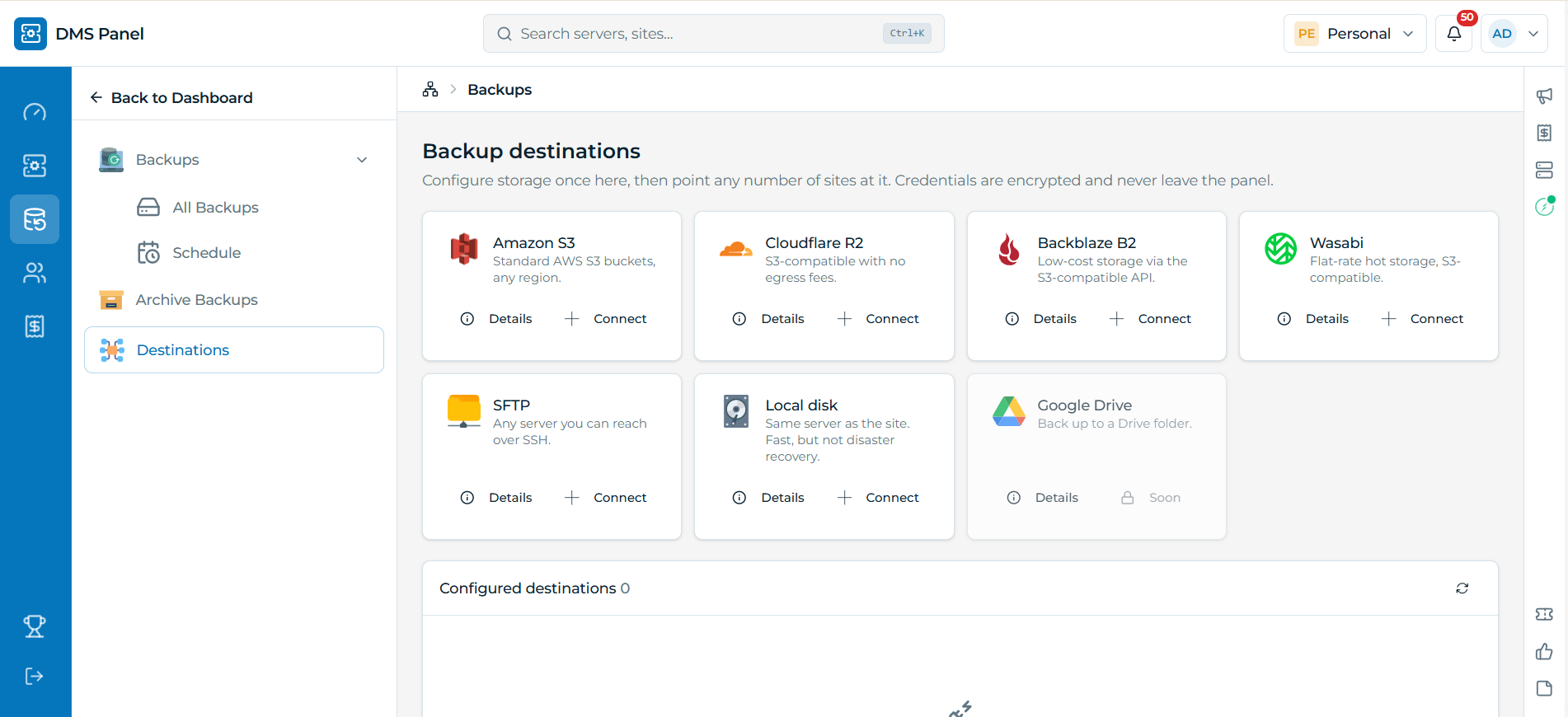
Amazon S3, Cloudflare R2, Backblaze B2, Wasabi, SFTP, or local disk. Set up a destination once, then reuse it across every site that needs it.

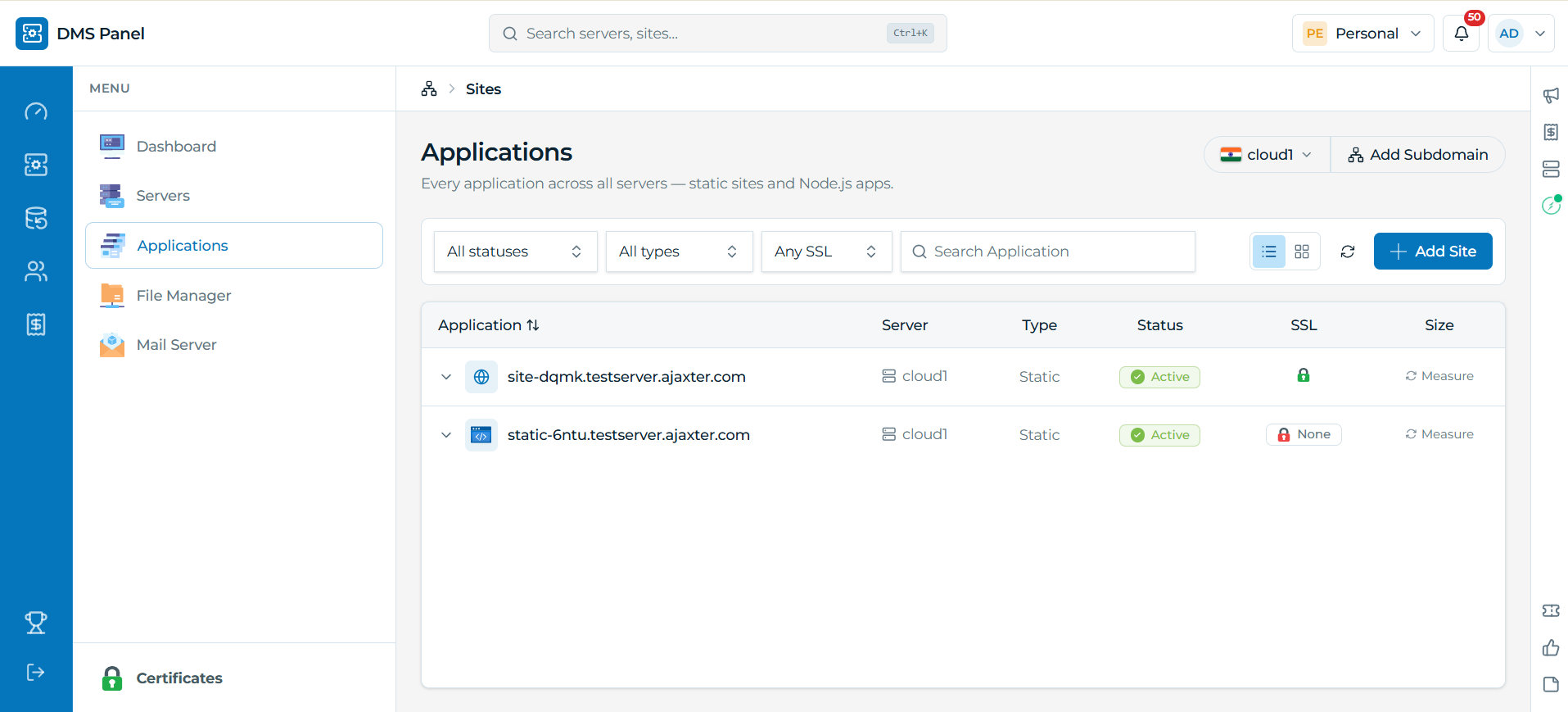
Status, SSL, type and server for every site you run. Filter by any of them instead of clicking into each site just to check.

Same product you saw above — broken into twelve focused areas with the capabilities that matter day-to-day.
Connect any Linux box over SSH and manage it like it was always part of the panel — live metrics, service health, and stack-agnostic tooling.
CPU, RAM, disk and uptime stream in as soon as you open a server. Historical graphs show the trend — not just the current spike.
Key or password auth. No pre-installed agent. Bring a server under management in seconds.
Zero agentsAuto-restart for core services and "needs attention" alerts when something drifts.
Auto-restartApache, Nginx and OpenLiteSpeed work identically — panel features never depend on which daemon a box runs.
Remote file ops, php.ini editor, timezone control, SSH hardening and per-server billing reminders.
Create, deploy and operate every app from one surface — Git push to live, in-browser files, SSL, cron, queues and logs without jumping tools.
Connect a GitHub or GitLab repo, pick a branch, deploy or pull. A minimizable modal streams the real build log — not a spinner. Roll back to a prior commit when something goes sideways.
Browse, edit, upload, download and search site files without leaving the panel.
No FTP neededInstall and renew certificates, add aliases and redirects — with plain-language explanations in the UI.
Guided setup for every supported runtime — spin up a site in seconds instead of hand-writing vhost configs.
Site-scoped cron, Composer & npm, queue worker monitoring, live app logs, maintenance mode and protected folders.
Custom MIME types, hotlink protection, directory privacy rules and per-user access notes.
Descriptions, directory privacy rules and access scoped to the people who need them.
Flip a site into maintenance with real-time status — visitors see the page, you keep working.
Five engines, one screen — create, import, export and watch live activity. Kill stuck queries safely with confirmation gates.
MySQL, MariaDB, PostgreSQL, MSSQL, Redis and MongoDB — manage, import and export from the same place.
Direct database administration built into the panel when you need the full SQL console.
See active connections, processes and queries per engine in real time. Kill one session or bulk-select several — every destructive action is confirmation-gated and engine-safe by design.
Connect storage once, point any site at it. Manual or scheduled — restore when you need to.
Amazon S3, Cloudflare R2, Backblaze B2, Wasabi, SFTP or local disk. Credentials stay encrypted and never leave the panel.
One-click restore. Site-level schedules stay independent of server-level ones.
One-click restoreLong-term archives kept separately from routine daily backups.
Real layered tooling on every server — scanners, firewall, login hardening and a scored security dashboard.
ClamAV with upload-time scanning, YARA, rkhunter, chkrootkit, AIDE, Lynis, UFW and Fail2ban.
Scheduled scans, historical reports and a dedicated security log — know where you stand at a glance.
Email OTP or TOTP on every sign-in, with optional 24-hour device trust.
Automatic lockout after failed logins plus IP-based blocking.
Full login history with "sign out my other device" takeover handling.
A full mail stack on the customer's own server — not a bolted-on third-party relay.
Create and manage mailboxes, Roundcube webmail, password resets and address import — end to end.
Runs on your serverForwarders, autoresponders, filters, mail routing and relayers.
Delivery tracking, queue management and deliverability tooling.
Subscribe / confirm / unsubscribe flows with per-post moderation.
Encryption management and domain-level mail settings — all local to the server.
SSL and DNS without the spreadsheet of expiry dates.
Centralized certificate lifecycle with expiry reminders and auto-delete of stale certs.
Expiry alertsZone and record management per server and per domain — edit records without leaving the panel.
Built for agencies juggling client sites — not just one developer's box.
Scoped access to specific servers and sites. Each team only sees what they've been granted.
Invite existing users or new signups. Transfer ownership between accounts when needed.
Access levels that match how real agencies hand work to juniors and clients.
Four tiers, a wallet, referrals — growth tooling without a separate billing portal.
Yearly billing at roughly 20% off monthly. Scale from free to unlimited.
~20% yearly saveTransaction history usable toward renewals and upgrades.
Trackable links, wallet-credit rewards on conversion, invite emails.
Plan change requests, payment method management, billing address and full payment history — all in-panel.
Real workflow rules — not a bolted-on third-party helpdesk.
In-app tickets with image/PDF attachments. Close or reopen within a 72-hour window.
72h reopenCan't send a second message in a row without a support reply in between.
Ticket creation caps enforced over a rolling 72-hour window.
Support-side view with override and connection metadata for triage.
One-time post-close rating request plus a daily internal volume summary.
A live panel — not a page-refresh app.
In-app plus email, each governed by per-account toggles. Security mail is never gated.
Deploys, pulls, backups and scans stream actual output — not a generic spinner.
Server-sent eventsAn admin action anywhere refreshes every other open tab of the same data immediately — no manual reload, ever.
Platform staff get oversight without ever reading customer secrets — a real privacy boundary, enforced in code.
Across every customer account for support and operations — servers, sites, billing status, mail delivery logs, tickets, referrals, announcements.
Fully auditedNo source code, SSH credentials, mailbox contents or card details — enforced in code, not just policy.
Account/server/site management, audit log viewer, announcements and billing oversight.
DMS Panel exists because cPanel-era tools weren't designed for Git-based deploys, multi-tenant agencies, or an interface that updates itself in real time. It gives that layer of control back, without asking anyone to open a terminal.
Deploy PHP, Laravel, Node.js, Python, Java, ASP.NET, React, Vue, Angular or plain HTML the same way, on servers you already own, with Git push-to-live instead of manual FTP or SSH sessions.
See sites & deployOrganizations, Teams and scoped member access mean every client's servers and sites stay visible only to the people who should see them. There's an audit trail behind every action, too.
See teams & accessRun mail, databases, backups and security across many customer sites on your own infrastructure, with built-in billing, wallets, referrals and support ticketing instead of stitching third-party tools together.
See the full catalogueThe product shape follows a simple story: connect servers you already own, operate them safely, and never lose the multi-tenant reality of client work.
SSH key or password. No pre-installed agent. Apache, Nginx or OpenLiteSpeed — the panel features work the same.
Git deploy with streamed output, Database Health with safe kills, layered security tooling, mail and certificates — without juggling five other UIs.
Organizations and Teams scope who sees which servers and sites. Audit trails keep the history honest.
Every destructive or high-risk action (a database kill, a bulk operation, an account block) is confirmation-gated and built to fail safely, from the Database Health screen down to the Super Admin layer.
Deploys, backups and scans stream actual progress over server-sent events. Admin actions anywhere in the panel update every other open view instantly. No stale screens, no manual reload.
Multi-tenancy (Organizations, Teams, scoped access) is part of the core architecture, not something bolted on later. It's built from day one for people managing many client sites.
DMS Panel manages Linux servers you already own or rent. It connects over SSH and gives you a dashboard for the sites, databases, mail, backups and security already living on that infrastructure. Nothing gets hosted on DMS Panel's own servers on your behalf; it's your infrastructure the whole way through.
Think cPanel, Plesk or CyberPanel, rebuilt around Git deploys, real-time updates and multi-tenant teams.